
Set a goal and a study plan
A goal gives a collection a date to be ready by, like an exam or an interview, and the planner works out how much to study each day.
Set it up
- On the dashboard, click Set a goal on a collection.
- Name the goal, like Pass the AWS exam.
- Pick a Start date and a Ready by date.
- Tick the days of the week you'll study. The others are rest days.
- Choose how much to study, then click Save goal.
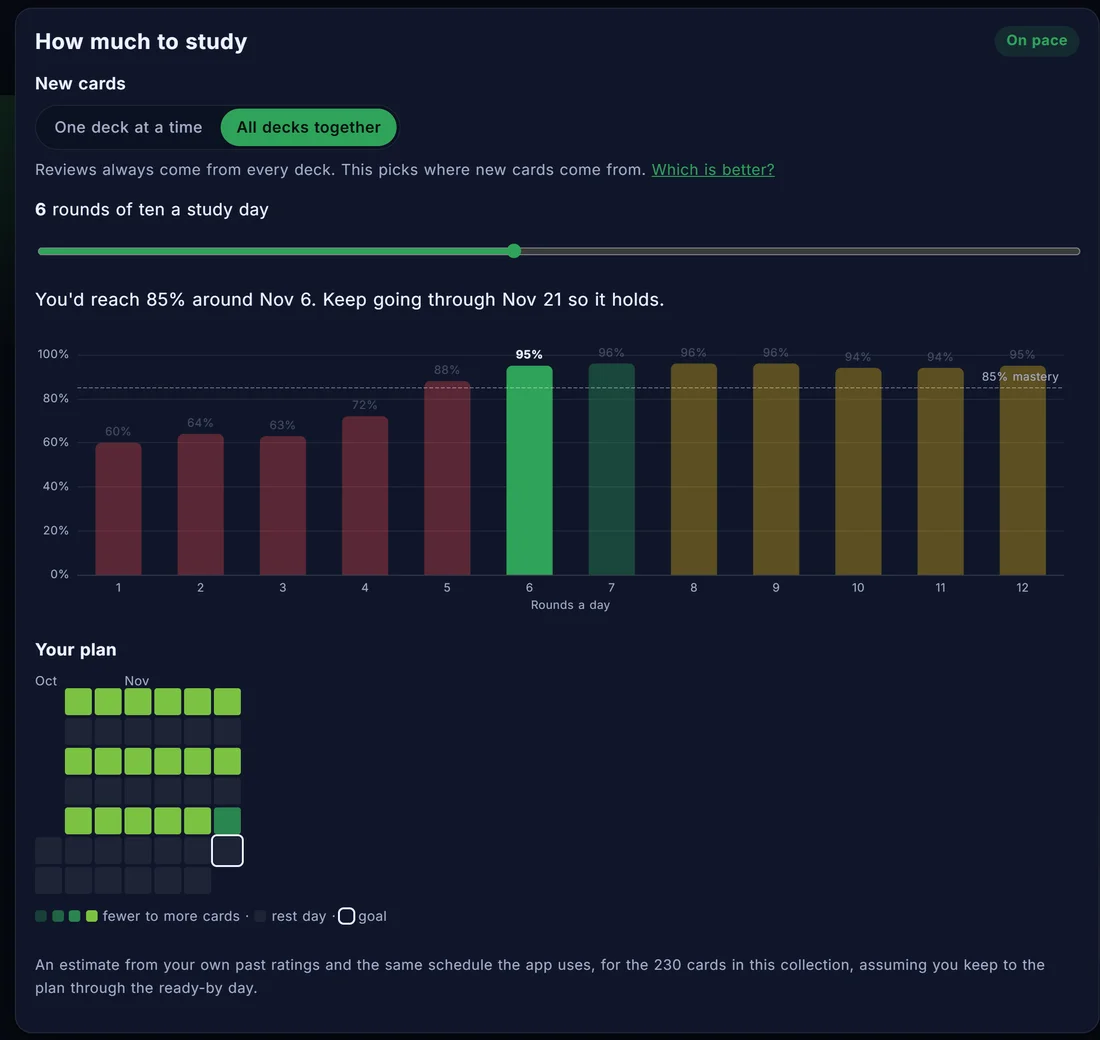
How much to study
The slider sets how many rounds of ten cards you study on each study day. The chart below it shows where that gets you by the ready-by date. Ready means 85% mastery on the collection.
- Behind means that amount doesn't reach 85% in time.
- On pace is the least that gets you there with up to a week to spare, or one round more.
- More than you need gets you there sooner, and the planner says how much the extra rounds add.
More study days a week means fewer rounds on each one.
New cards
Reviews always come from every deck in the collection. This setting picks where new cards come from.
- One deck at a time starts the next deck once the current one has no new cards left.
- All decks together mixes new cards from every deck.
For what the research says about each, see Should you study one topic at a time or mix them?
Where the estimate comes from
The chart uses your own past ratings and the same schedule the app uses, and assumes you keep to the plan. If you add cards to the collection later, open the goal again to see the new plan.
Change or remove a goal
Click the goal line on the collection to open it again. Change anything and save, or click Remove this goal. To hide goals everywhere, turn them off in Settings. Your goals are kept.